DLP solution that secures sensitive electronic information within an organization.
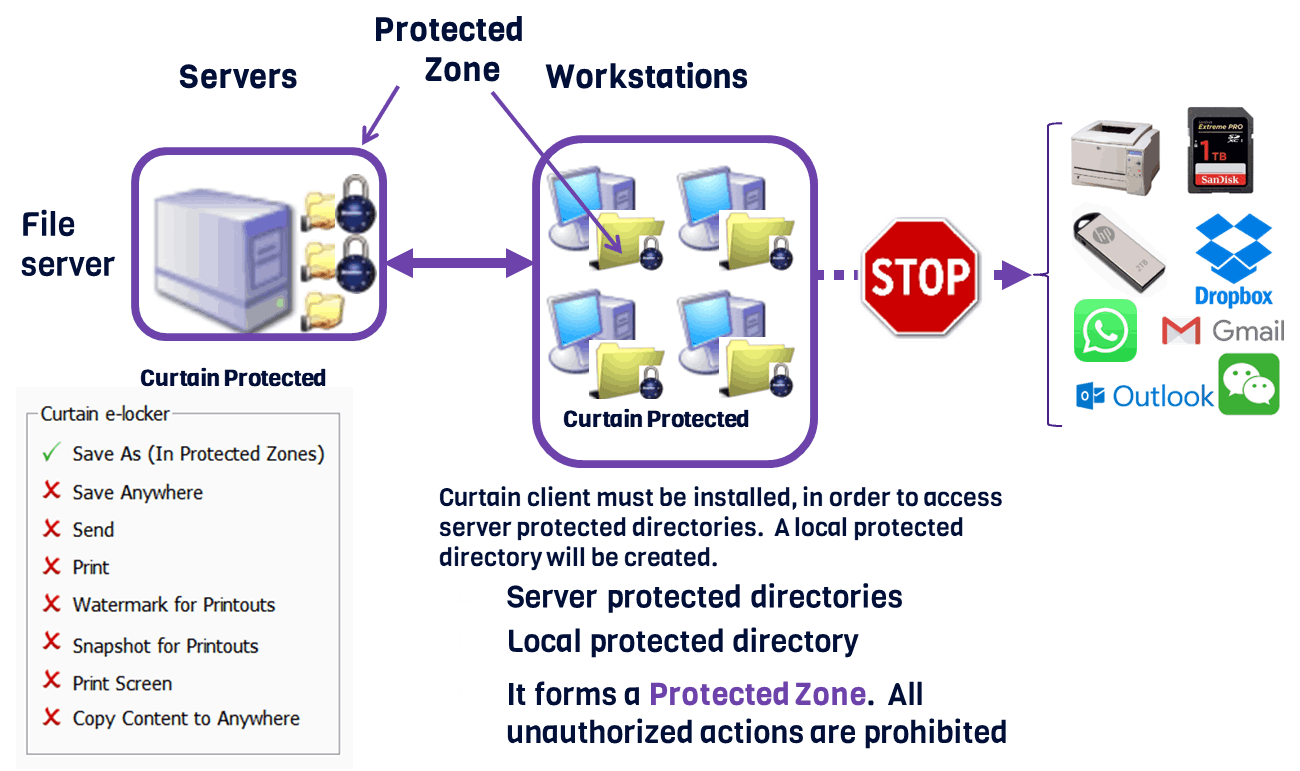
It controls and monitors user actions such as saving, copying, printing, and transferring files to prevent data leakage, and ensures confidential data is accessible only within a protected zone.
Users can continue working with the data within the Zone without disruption.
With state-of-the-art encryption technology and user-friendly features, Curtain e-locker ensures that your confidential data is protected at all times.
Granular User Control Over File Permissions
Online / Offline Protection
Protect First Draft
Smart Copy & Paste Control
Personal local protected directory
Screen Capture Protection
Secured Internal File Sharing
Central Audit Log
Local encrypted drive
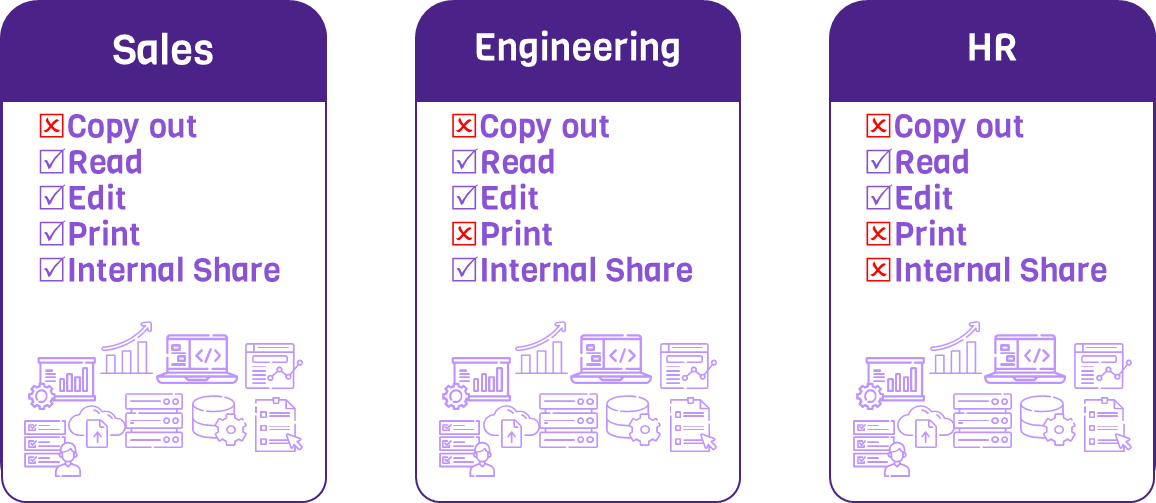
Curtain e-locker is an Information Rights Management system that prevents sensitive files from leaking out of the company by any exit channels (e.g. USB hard-disk, CDR, and web mail). By using Curtain e-locker, a company can allow users to access sensitive files. At the same time, the company can control NOT to allow the users to print, save as, or send files to external sources during normal course of daily operations.
Administrators can define which share folders in Windows File Server are protected by the system. In order to access the Protected share folders, Curtain Client must be installed on users' workstations. During installation of Curtain Client, an encrypted folder (called Local Protected Directory) will be created automatically. Users can work with the sensitive files within Protected Zone as usual (e.g. New Copy, Rename, Delete, and Edit). However, they cannot take the files out of the company if they are not authorized to do so.
A DLP solution, which effectively prevents unauthorized leakage/usage of protected confidential information by any outgoing channels. By using Curtain e-locker, companies can allow authorized users to gain access to confidential files and information. At the same time, the company can also control NOT to allow the users to take the files/info out of the company.
Allows administrators to display watermark on screen in user’s computers. Since this screen watermark can show user information (e.g. computer name, username and IP address), it effectively gets user’s attention before they capture screen and share the information with other people.
A secure document sharing system called Curtain Frontier by Coworkshop for digital rights management. A product designed to extend control over digital files shared with external parties (like business partners), enabling companies to manage and audit how their files are used outside their internal network.